DermSCE iPhone app: your guide to offline Dermatology SCE revision
Explore the DermSCE iPhone app with real screenshots: topic practice, timed mocks, revision book, progress sync and how to prepare for offline study.
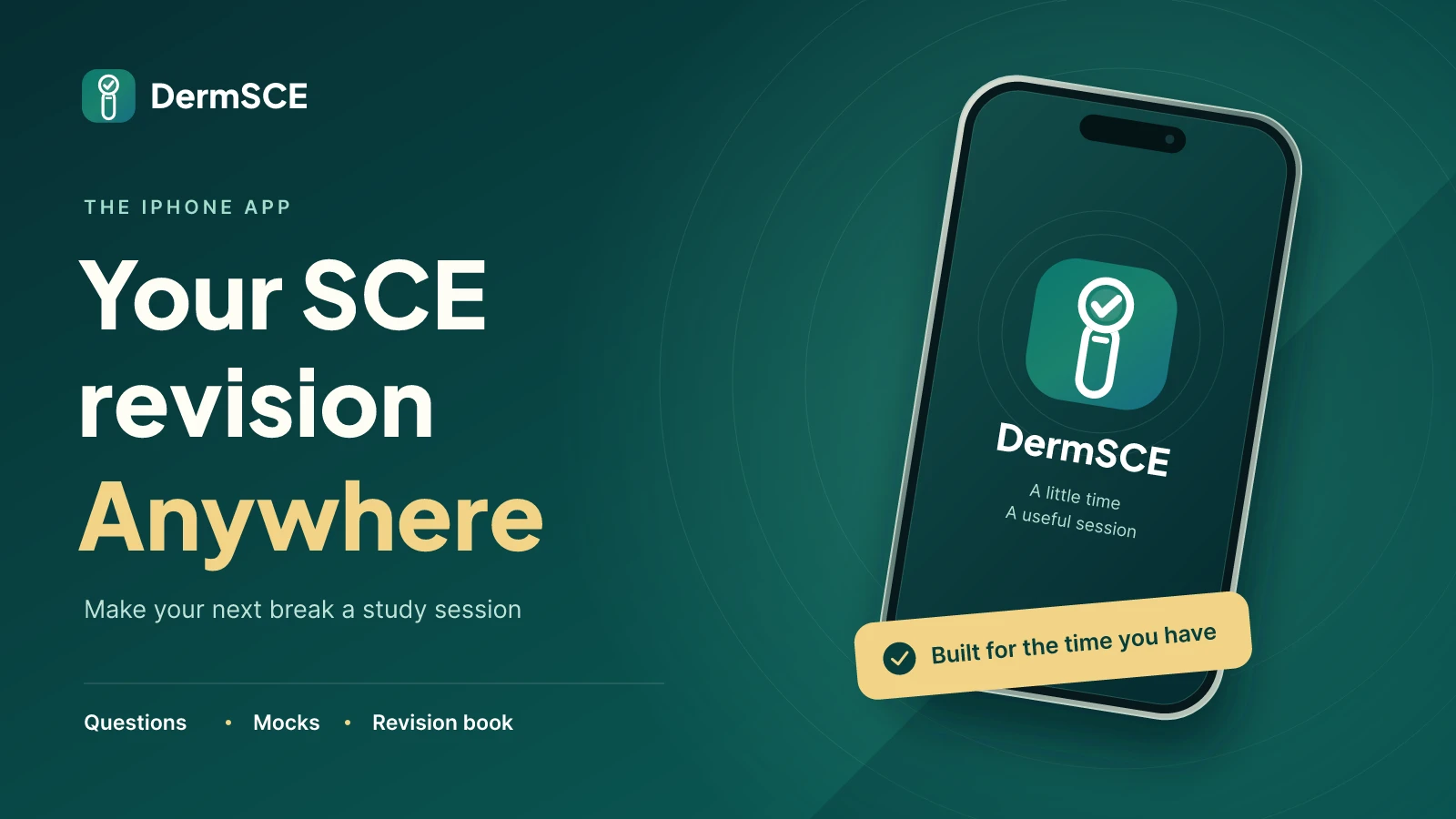
Revision does not always happen at a desk. It might be a quiet ten minutes before a teaching session, a train journey or a planned evening of questions. The DermSCE iPhone app puts question practice, timed mocks, a revision book and progress tracking into a mobile companion for your Dermatology SCE preparation.
This guide explains how to use it, what to expect when you switch between your phone and the website, and what offline revision actually means. The screenshots are from our App Store screenshot set; labels, counts and layout may vary with the installed version.
What is the DermSCE app, and who is it for?
DermSCE is an independent revision resource for candidates preparing for the Dermatology Specialty Certificate Examination. The iPhone app is a companion for members with active access, not an official examination app or a clinical decision-support tool. It is designed to make a study session easier to start, whether you want a focused topic or mixed practice.
The main navigation separates Home, Practice, Mocks, Book and Progress. That gives each session a clear starting point: answer questions, work under a timer, read a topic or review where to focus next.
How to get started on iPhone
- Download DermSCE from the App Store. Check the App Store listing for current device and software compatibility.
- Use the email address linked to your DermSCE account. The app signs you in using an email verification code, so connect to the internet and have access to your inbox.
- Make sure your account has active access. Membership is managed on the website; downloading the app does not itself unlock the question bank.
- Open the app while connected and allow study content to load before your first session. If you intend to revise offline, follow the preparation checklist below.
New to DermSCE? Start with the website's free practice experience before choosing a membership. The website trial and the paid iPhone companion are different: the app does not offer a separate in-app free question trial.
Practice: choose a topic or keep a mixed session moving
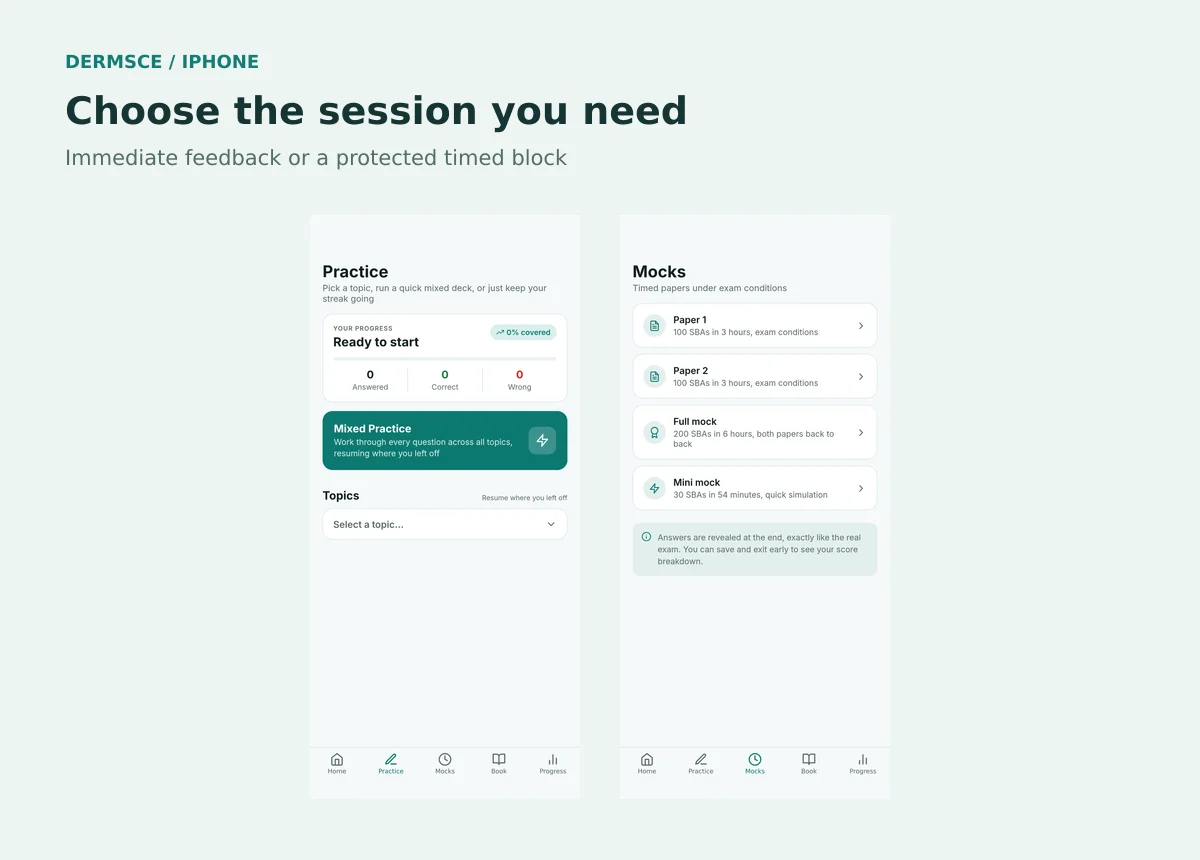
The Practice screen brings your coverage and accuracy together with two ways to study. Mixed Practice lets you work across topics, while the topic selector helps you target a specific area. In practice mode, selecting an answer reveals feedback so you can review the reasoning while the question is still fresh.
A useful short-session routine is to choose a small number of questions, read the explanations carefully and note one distinction you want to remember. If you missed a question because you confused two diagnoses, explain to yourself why the alternative was less suitable. Simply recognising the correct letter next time is not the same as understanding the answer.
After you build up a question history, use the wrong-answer practice option to revisit gaps. Balance that with fresh mixed questions: repeated items can make accuracy look stronger without proving that the learning transfers to an unfamiliar stem.
Mocks: practise pace as well as knowledge
The Mocks area offers timed practice options, including shorter sessions and longer papers. Choose the length that fits a genuinely protected study period. Unlike ordinary practice, mock feedback is reviewed after the session rather than revealed as you answer each item.
A mini mock can help you notice whether you are spending too long on difficult stems. Longer sessions let you practise sustained concentration. Neither a mock percentage nor an app estimate is a prediction or guarantee of passing the official examination.
For the actual assessment structure, use our Dermatology SCE exam-format guide alongside the examination body's current instructions. An app preset is a revision tool, not a replacement for official candidate guidance.
Revision book: read around the questions you miss
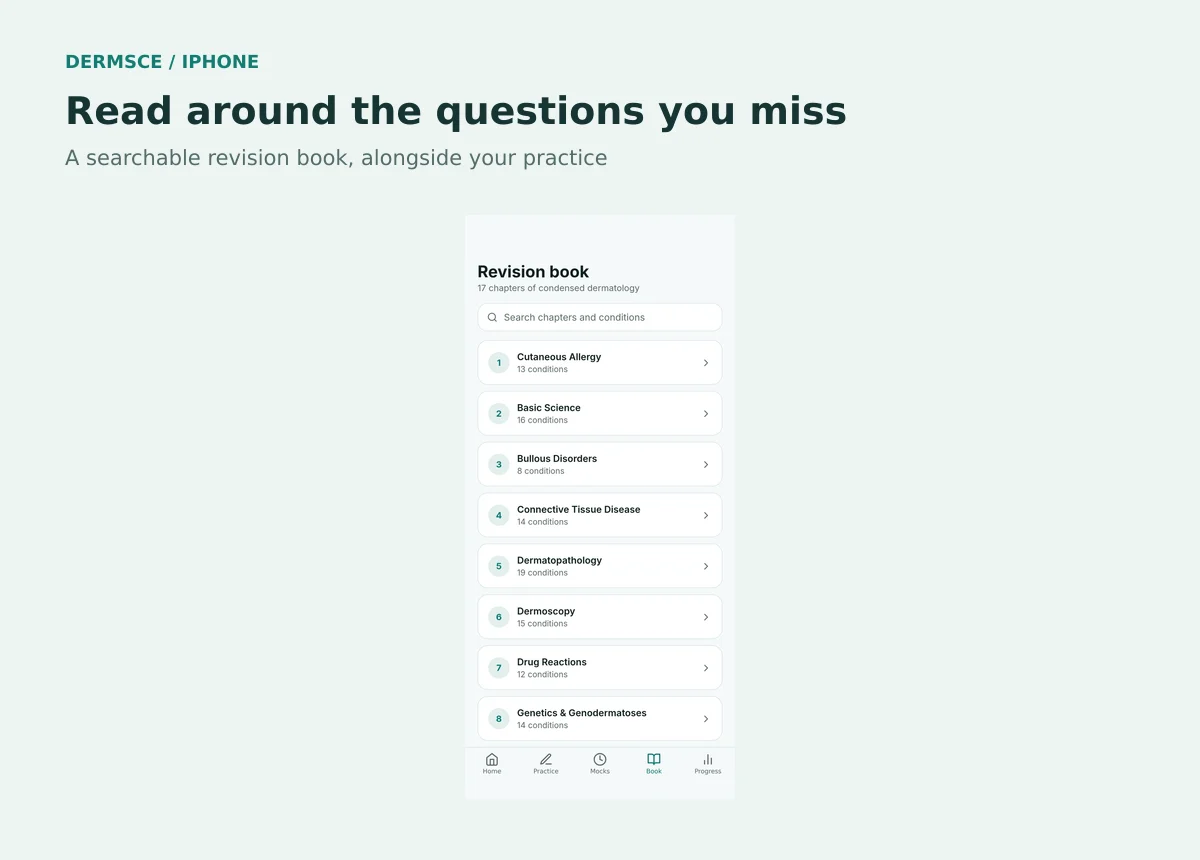
The Book tab provides a searchable chapter list so you can move from a weak topic to a more structured read. Use it to answer a specific learning question rather than feeling that you must read every chapter before starting practice.
For example, after a session on blistering disease, identify the feature that separated the likely diagnoses and review the relevant section. Then return to practice later and try to retrieve that distinction without reopening your notes. Check current clinical guidance separately when making real patient-care decisions.
Can I use the DermSCE app offline?
Yes, previously loaded study content can be available offline. While a signed-in account with active access is online, the app attempts to prepare question data, the revision book and other study information for later use. Offline support depends on that preparation succeeding and the content remaining stored on your phone.
This is not a promise that a newly installed app will work without internet, or that every screen, image and external reference is downloaded. Clinical images are separate files and may not be available offline. Sign-in, current account checks and sending updates to the server need a connection. Anything that relies on an online service should be treated as online-only.
- Before travelling, sign in on a reliable connection and open Practice and the Book. Let the content finish loading.
- Briefly test the study material you plan to use with the connection switched off. Check images separately rather than assuming they are included.
- Keep the same account signed in. Avoid clearing app storage, uninstalling the app or switching accounts while you have unsynced work.
- Reconnect regularly. The stored study cache has an age limit and is not an indefinite offline download.
- After an offline session, reopen the app online and allow pending answers to sync before relying on those results on another device.
Offline answers are queued on the phone for synchronisation when connectivity returns. Until that succeeds, the phone may contain newer work than the website. If a journey is important to your revision plan, test offline availability in advance rather than discovering a missing image on the train.
Progress and switching between phone and website
Use the same account on both platforms to keep your study history associated with you. The Progress area helps you review coverage, accuracy and topic performance. These measurements answer different questions: coverage tells you how much you have attempted, while accuracy reflects the answers you have submitted.
Synchronisation requires connectivity and may not be instant. After reconnecting, allow the app to complete pending updates, then refresh the other device. Do not reset progress or reinstall the app as a first response to a temporary mismatch.
Make the app comfortable to use
Short sessions work best when you decide the task before opening the app. Choose a topic, set a manageable stopping point and leave time for explanations. Use the app's light, dark or system theme setting to suit your reading preference. For detailed images, use a screen and viewing conditions that let you inspect the relevant features comfortably.
Phone revision should fit around safe breaks, not compete with clinical responsibilities, sleep or attention while driving. If your rota is busy, our full-time-work revision guide offers a flexible weekly template.
Frequently asked questions
Is there an Android app? This guide covers the iPhone app. For other devices, use the DermSCE website in a browser; do not assume a native Android version is available.
Does downloading the app include a membership? No. The app uses your DermSCE account and active access. Review the current membership options on the website.
Is offline progress immediately visible on my laptop? No. Reconnect your phone and let synchronisation complete before checking another device.
Does the app guarantee a pass? No. It supports practice and revision. Your preparation should include the official blueprint, appropriate clinical learning and up-to-date guidance.
Start with one useful session
Download the DermSCE iPhone app and choose one task: a focused practice session, a timed block or a chapter linked to a recent mistake. The aim is not to spend more time on your phone. It is to make the study time you have easier to use.
Sources & further reading
For educational use only. Check current official guidance.
Start 25 free questions